Contents
Since mid-2025, Popwork has delivered a steady stream of improvements designed to help managers lead more effectively and give admins deeper oversight of organizational health. From smarter insights to more flexible rituals and better access to data, here’s everything rolled out since July 2025.
For Managers: Smarter, More Flexible Team Management
🌟 Team Views & Ritual Enhancements
Team Radar improvements
Managers with multiple teams now see mood and workload indicators grouped by team directly on their Manager Home. That makes it easier to spot patterns and act on the right signals faster.
Custom Rituals (Beta)
You can now design your own 1:1 meeting templates - including custom questions, cadence, and follow-up modules - so rituals truly match your team’s needs. Admins can also make these available across your organization.
Cancel Ritual Option
If a meeting needs to be skipped, managers now have a Cancel ritual option alongside reminders and rescheduling.
Expanded Ritual Frequencies
Alongside traditional weekly and monthly check-ins, Popwork introduced an every 4 months frequency for performance reviews and objectives rituals, giving more flexibility for planning cycles.
📊 Deeper Team Insights
AI-Powered Employee Insights
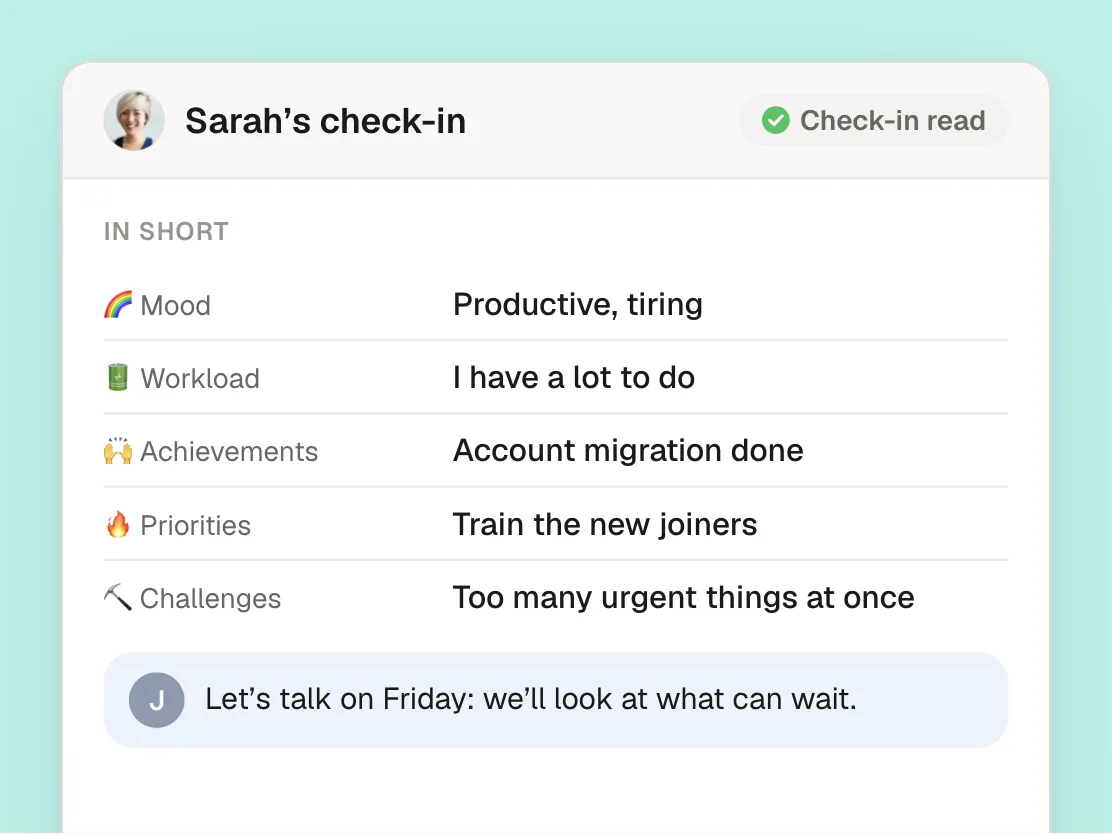
A new Insights tab lets managers generate AI summaries of sentiment and workload over selected periods. These insights make it easier to prepare meaningful conversations and anticipate potential issues.
Export Rituals & AI Insights
Need a shareable report? Managers can now export any ritual or AI insights as a PDF for printing or distribution.
📈 Data Accessibility
Access Your Team’s Data
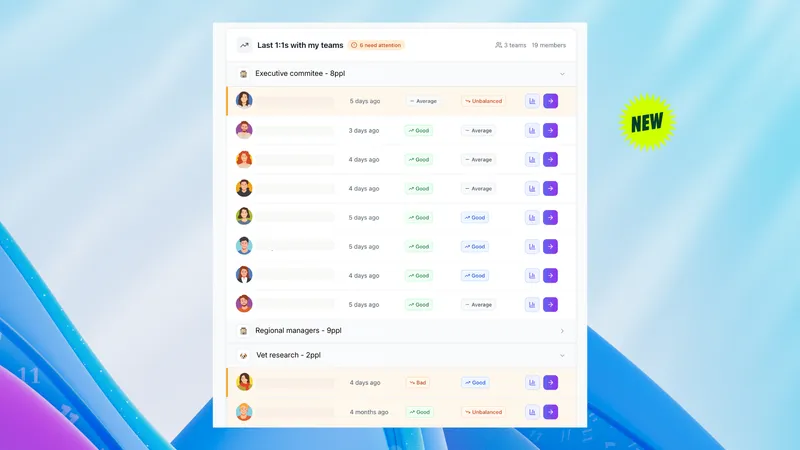
From the “Last 1:1s with my team” section on your homepage, you can now drill into team member insights and open a comprehensive Team Analytics dashboard showing trends across direct reports and their reportees.
For Admins: Oversight, Exporting, and Org-Wide Visibility
📋 New Company-Level Dashboards
Engagement Insights Revamp
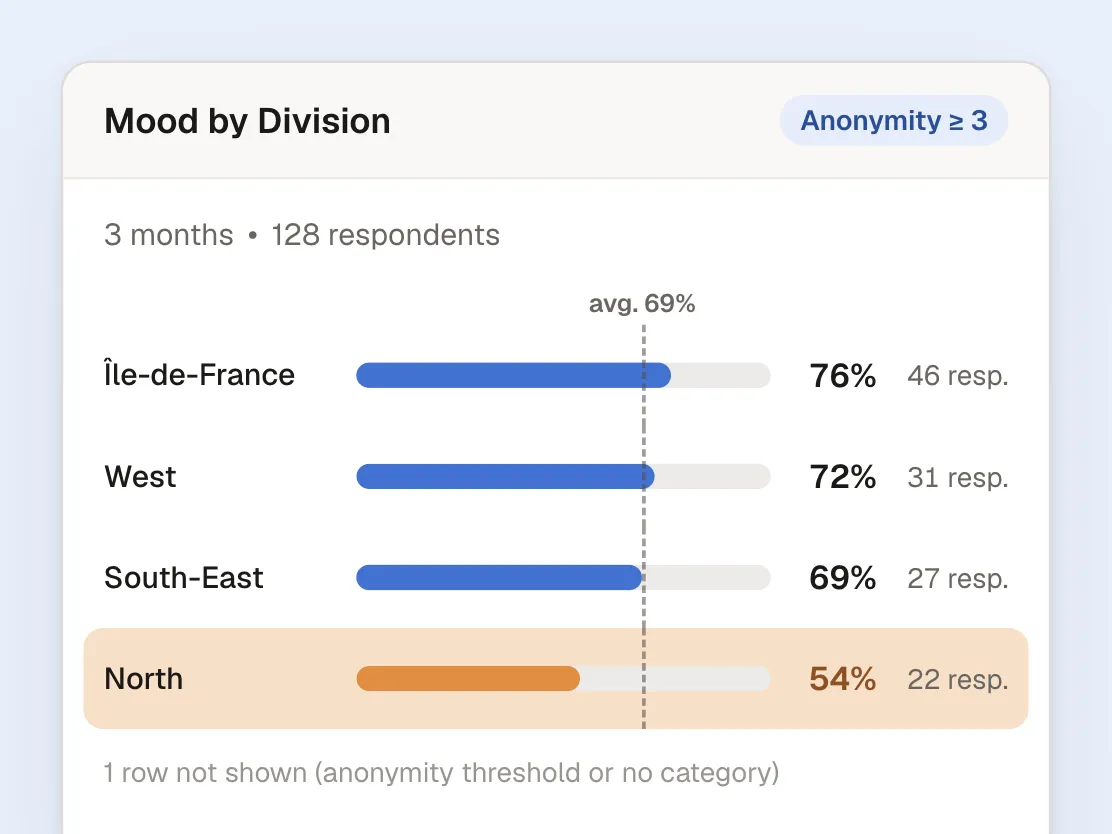
Admins now manage engagement metrics on three views - Perimeter, Trends & Distribution, and Alerts - making it easier to monitor sentiment and workload across the organization. Alerts highlight team members with low indicators so issues are visible immediately.
Adoption Dashboard Updates
The adoption dashboard now includes a Manager column in CSV exports to help analyze usage across teams more precisely.
🔍 Administrative Views & Tools
Management Rituals Overview
Admins can view every scheduled management ritual per user (with frequency and next date) via a new overview in the Adoption tracker.
Export Popwork Indicators to CSV
Admins can now export company-wide indicator data - including engagement, sentiment, and workload - and use those CSV files for custom analysis or reporting.
User Role Management Update
It’s now possible to remove the manager role straight from the Users & Roles panel, with teams automatically unassigned as needed.
What This Means for You
Popwork’s recent releases reinforce its role as a team management hub:
- Managers get better tools for planning, insights, and personalized rituals.
- Admins gain broader visibility and exportable data to support organizational health.
- Everyone benefits from cleaner design, smarter dashboards, and more flexible workflows.
Whether you’re leading a small team or overseeing company-wide management practices, these updates equip you with more clarity and control - helping turn conversations into action.

Passionate about management in the digital age. Ex-Google, Waze & PrestaShop.