
The right word at the right moment, not once a year
Kudos for a colleague, with stickers, from a check-in answer or a commitment kept. A specific question for your manager, with no 360° campaign. Feedback is given where the work happens.

Feedback waits for the annual review
Without a set moment to say it, the thank-you gets lost and the remark has to wait.
Thank-yous get lost
A helping hand, a tough week well handled: you think of it in the moment, then the day moves on.
Everything is saved for the review
Remarks pile up for months and arrive all at once, when it is too late to do anything with them.
360° campaigns run out of steam
Long questionnaires, sent to everyone at the same time: few answers, and cautious ones.
Three gestures, through the week
- 1The manager
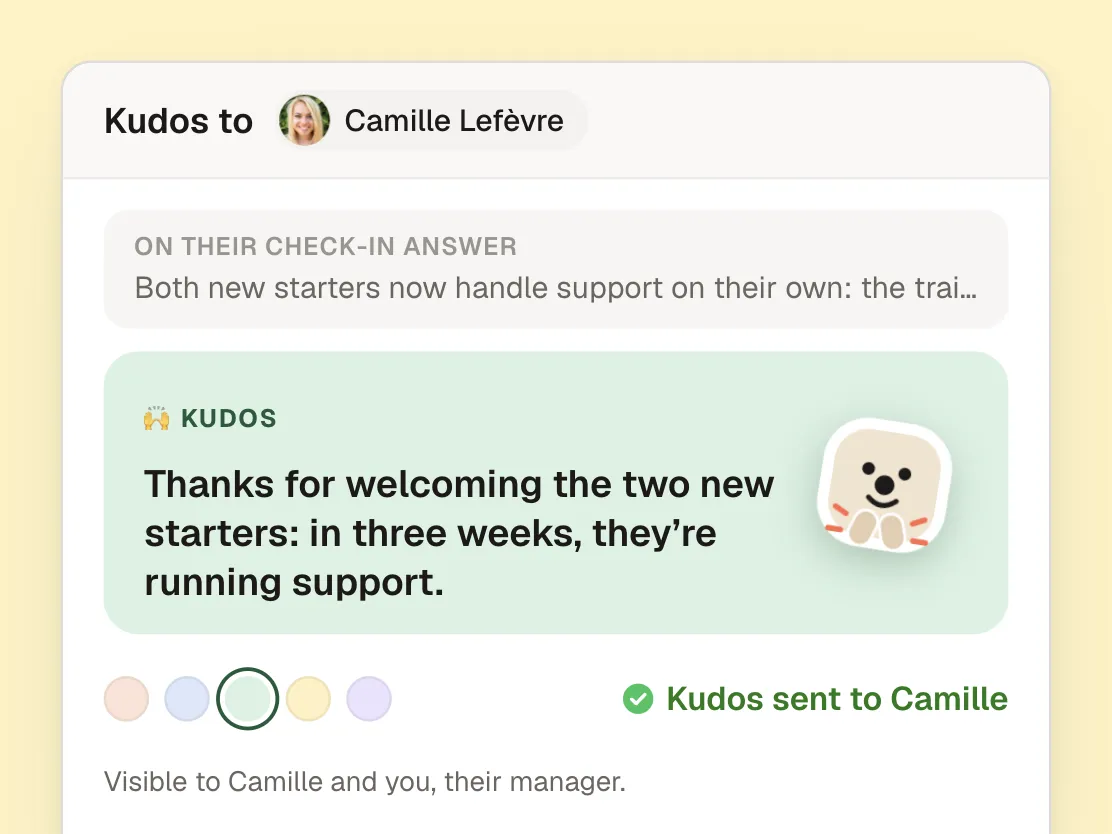
Celebrate a success from the check-in
Under a check-in answer, “Kudos to Camille” opens a note of kudos that quotes what she wrote. A colour, a sticker, and off it goes: Camille gets it in the app and by e-mail, and on Slack or Teams when your company uses them.
- 2The team member
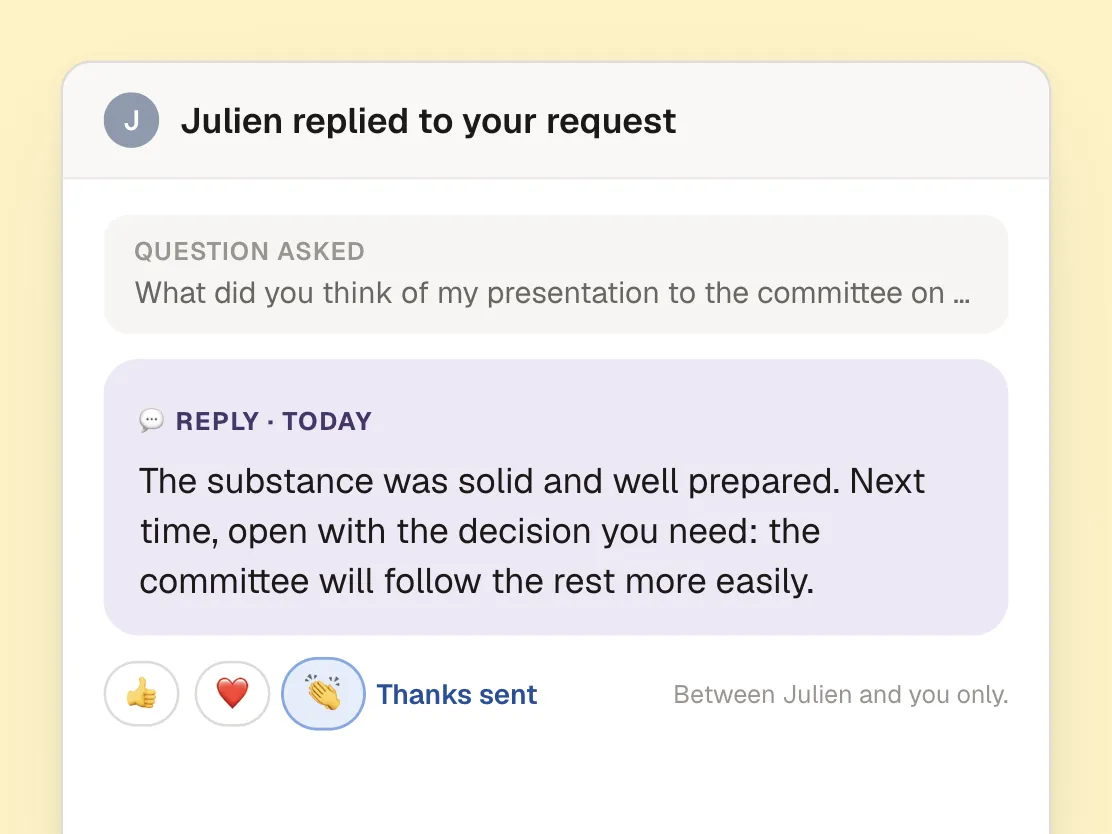
Ask their manager for an opinion
“Request feedback”: a specific question for their manager, who answers it with feedback. One request at a time, just between the two of them. No campaign, no questionnaire.
- 3The manager
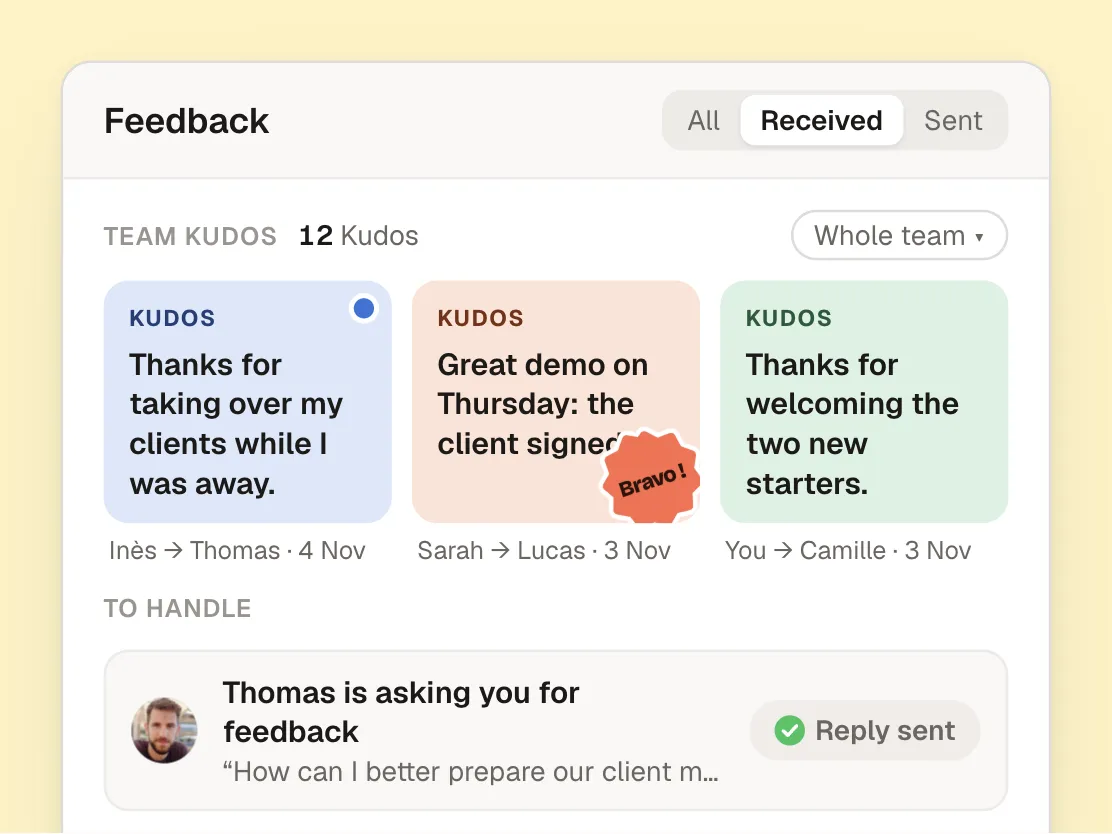
See what is said in the team
The Feedback tab brings together the Kudos the team has received, wherever they come from in the company, and the requests to handle. Each one can be answered in a tap.
Everyone has their own gesture
The team member
Sends Kudos to any colleague, requests feedback from their manager and finds everything they have received.
Their manager
Congratulates, encourages or suggests an improvement, in private. Sees the Kudos their team receives and answers requests.
HR
Choose in “Permissions & visibility” who can send Kudos, share feedback or request it.
Kudos are seen, a suggestion stays private
Kudos are visible to the person and their manager. Feedback stays between the manager and the person. A suggestion or the answer to a request is never shown outside the app: the e-mail, Slack or Teams message only says who wrote it and how to open it.
Frequently asked questions
What is the difference between Kudos and feedback?
Kudos are a thank-you between colleagues, with stickers, which the person’s manager also sees. Feedback (congratulations, encouragement or a suggestion for improvement) is shared by a manager with someone in their team, and stays between them.
Who can send Kudos?
Everyone, managers included, to any colleague in the company. Kudos can be addressed to several people at once: each one gets their own.
Can people request feedback from their colleagues?
The request goes to their manager: a specific question, which they answer with feedback. To thank a colleague, there are Kudos.
Where do Kudos arrive?
In the app, on the web and on mobile, and by e-mail. If your company uses Slack or Microsoft Teams, they arrive there too.
Can part of the feedback features be turned off?
Yes. In “Permissions & visibility”, administrators choose who can send Kudos, share feedback or request it. Whatever is turned off is no longer offered.
Your teams make your company
Give everyone a simple, regular one-to-one with their manager, and finally see how every team is doing.
- Rated 4.8 out of 5 on Google
- Hosted in Europe, GDPR compliant
- Product of the Day on Product Hunt