
What is decided in the 1:1 actually gets done
During the meeting, you note who does what, and by when. The commitment comes back at the next check-in until it is done, and anything running late shows up straight away.

Decided in the 1:1, forgotten by Monday
Without follow-up, a good 1:1 stays a good conversation.
Notes stay in a notebook
Everyone leaves with their own version. A month later, nobody knows who was meant to do what.
The same topic comes back every month
You talk it over again, agree again, and nothing moves, for want of a name and a date.
Delays are discovered in the meeting
At the next meeting, you find that nothing has moved, without knowing how long it has been stuck.
From the 1:1 to the thing done
- 1The manager
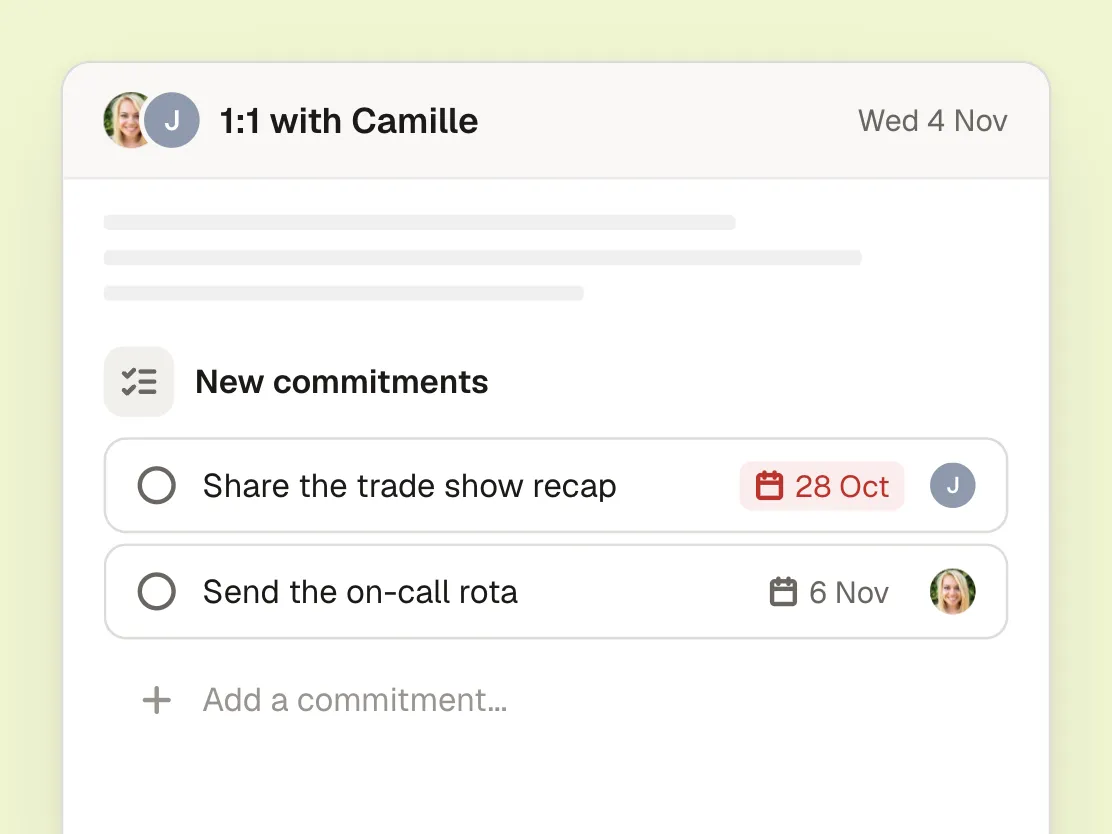
Note the commitment during the 1:1
Under “New commitments”, “Add a commitment...” opens a window: one sentence, @ for the person taking it on, a day for the due date; “by Friday” is enough. The person can also take on a commitment themselves.
- 2The team member
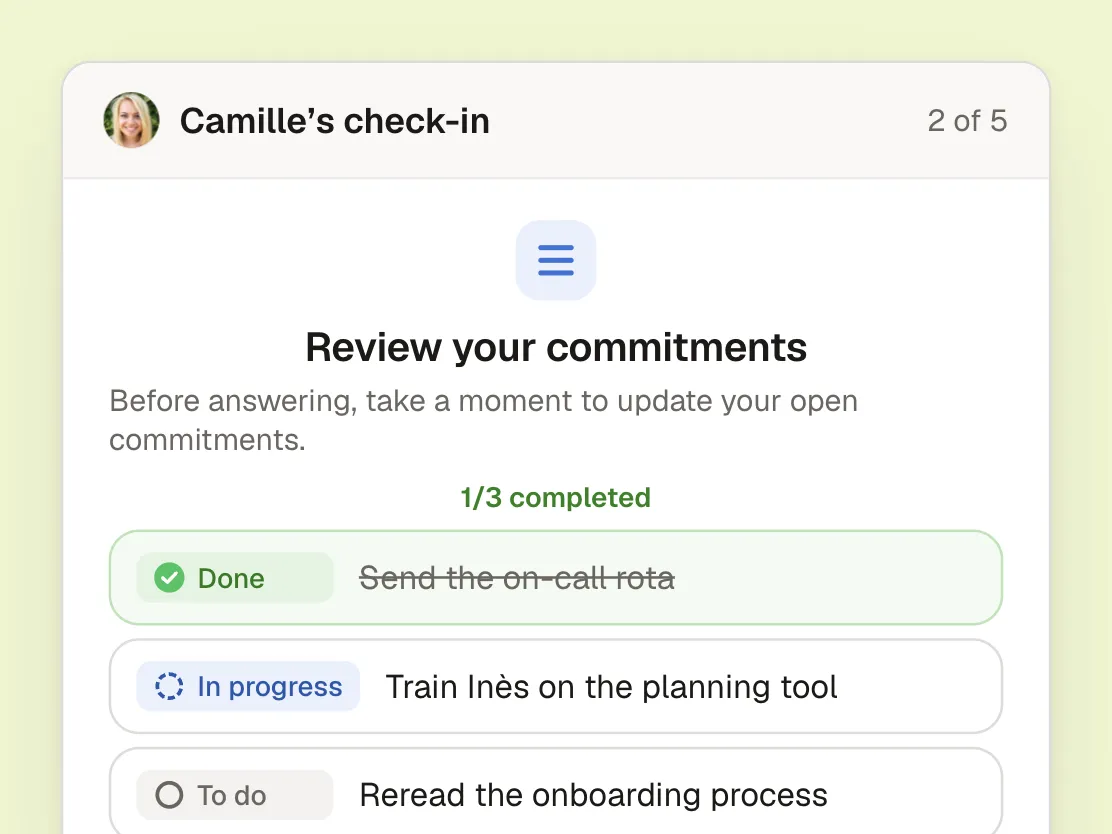
Find it again at the next check-in
Before answering, the check-in offers “Review your commitments”: one tap to move from To do to In progress, then Done. Whatever is still open moves on to the next meeting, with nothing to re-enter.
- 3The manager
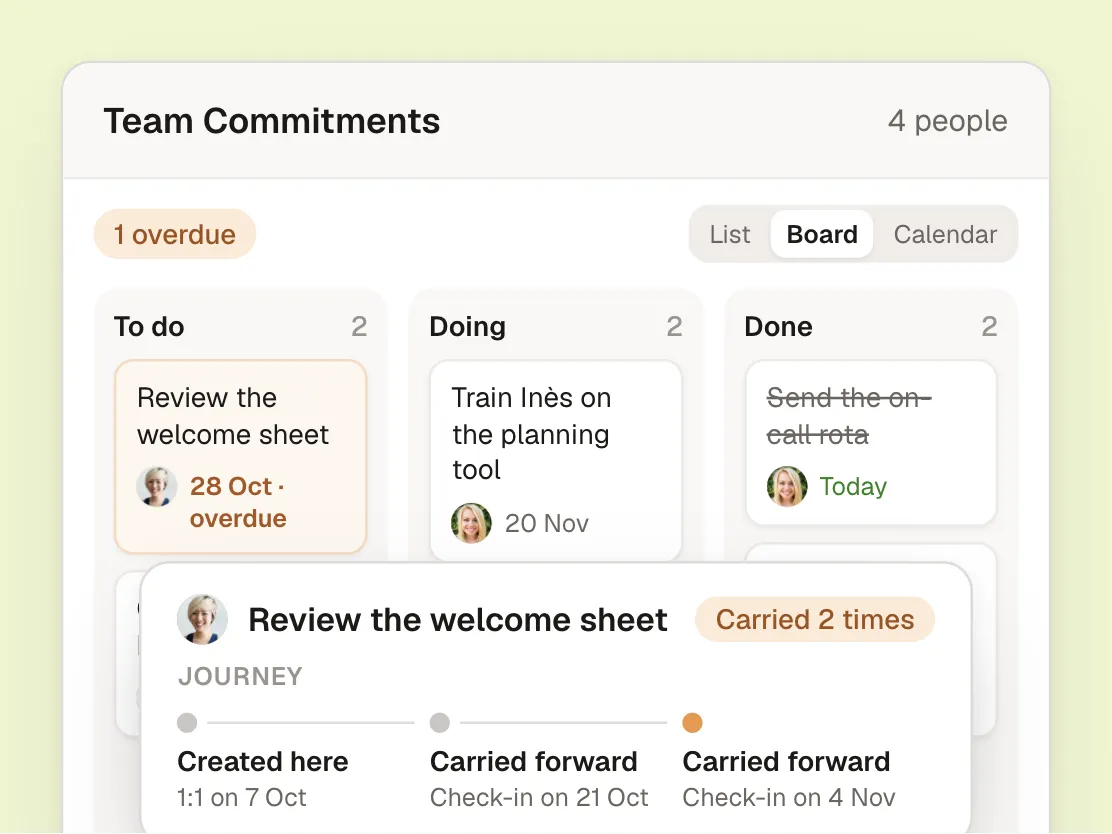
See what is moving and what is stuck
Team Commitments brings everything together, as a list, a board or a calendar. Delays are flagged, and each commitment keeps its journey: how many times it has been carried forward, and since which 1:1.
Everyone sees what concerns them
The team member
Their commitments in one place, updated in a tap at the check-in, and a notification when a due date is near or a commitment is overdue.
Their manager
The whole team’s commitments, what is overdue, and how many times a commitment has been carried forward.
HR
Turn on commitments in the ritual templates, so that every 1:1 ends with clear actions.
The conversation stays between the person and their manager
That is what makes the answers honest: a 1:1 can only be read by its participants and any observers. Dashboards show trends by team, department or division, and never a group of fewer than 3 people. Data is hosted in Europe, in line with the GDPR.
Frequently asked questions
Who can create a commitment?
The manager and the team member alike, during the 1:1 or at any time, on the web or in the app. Each commitment has an assignee and, if needed, a due date.
What happens to a commitment that isn’t done?
At the end of the check-in, it moves on to the next meeting. It keeps a record of each time it was carried forward: you can see where it came from and how long it has been waiting.
Does it replace our project management tool?
No. Commitments are the few actions agreed between a person and their manager: following up with a client, taking a course, preparing a meeting. Everything else stays where it already lives.
Who sees the commitments?
The person and their manager. An observer of the ritual can view them, without changing them.
And at the annual review?
Each commitment keeps its journey and its activity. The review starts from what was decided, and from what was actually done during the year.
Your teams make your company
Give everyone a simple, regular one-to-one with their manager, and finally see how every team is doing.
- Rated 4.8 out of 5 on Google
- Hosted in Europe, GDPR compliant
- Product of the Day on Product Hunt